Affinity Studio – [WEBSITE]
For years many Second Life creators — photographers, content-makers, designers of HUDs, textures and event posters — relied on Affinity Photo 2 because it offered pro-grade editing without Adobe’s subscription model. That changed dramatically at the end of October 2025, when Affinity (under new ownership) rolled its separate apps into a single, all-in-one application and shifted how the apps are distributed and integrated. Here’s a clear, SL-focused rundown of what happened, how it compares to Photoshop, and practical steps for creators who depend on reliable image tools.
What changed:
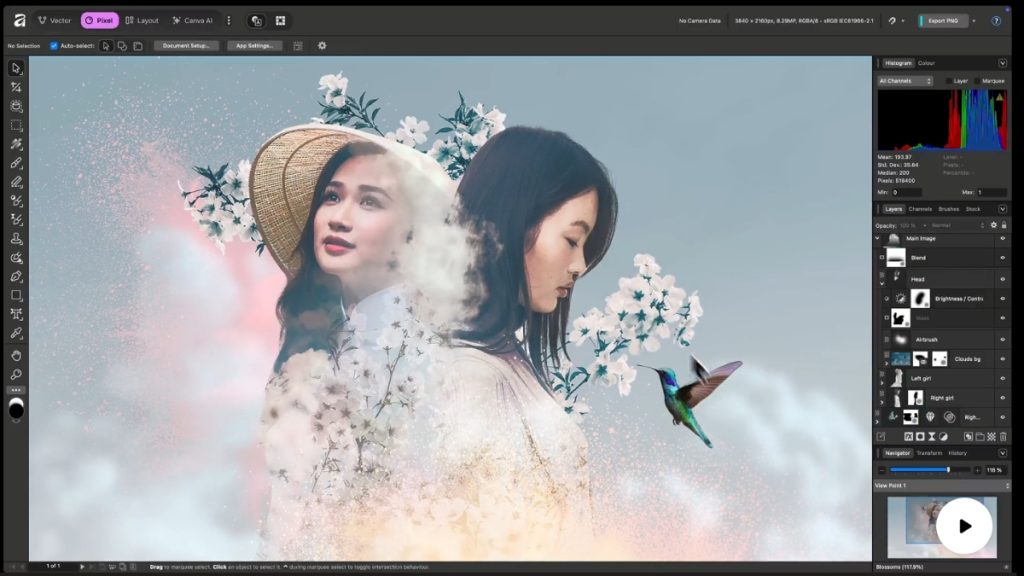
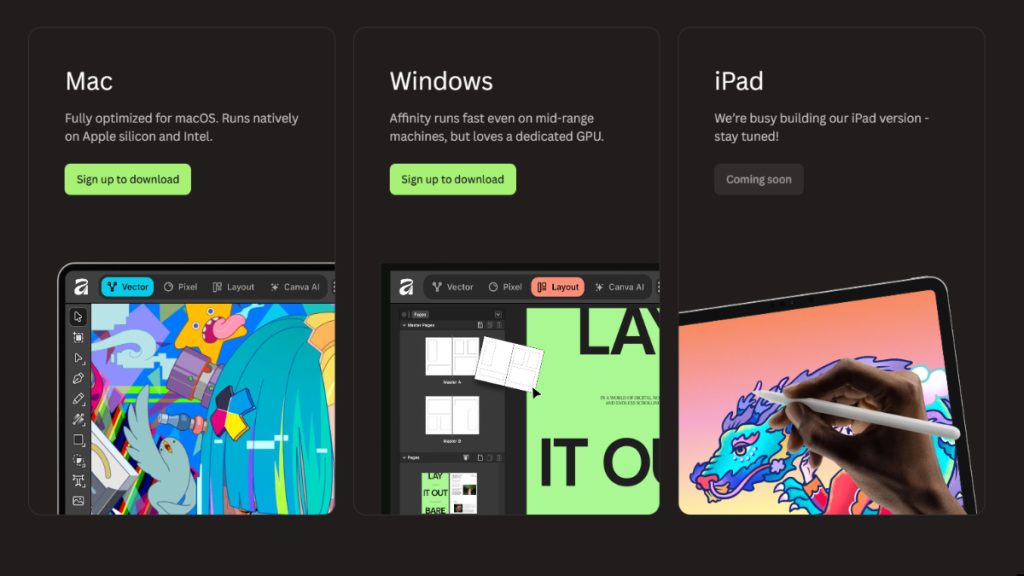
• Affinity’s desktop/iPad apps — Photo, Designer and Publisher — were consolidated into a single app now called “Affinity.” The new app bundles photo-editing, vector and layout tools together and has been released for Windows and macOS (iPad coming/updated in stages). (The Verge).
• The distribution model shifted: core functionality is being offered for free in many builds (and iPad versions were temporarily made free), while new integrations (for example with Canva and certain AI features) are being highlighted as part of the relaunch. Affinity’s older standalone apps were taken off sale ahead of the change. (AppleInsider).
Why Second Life creators should care:
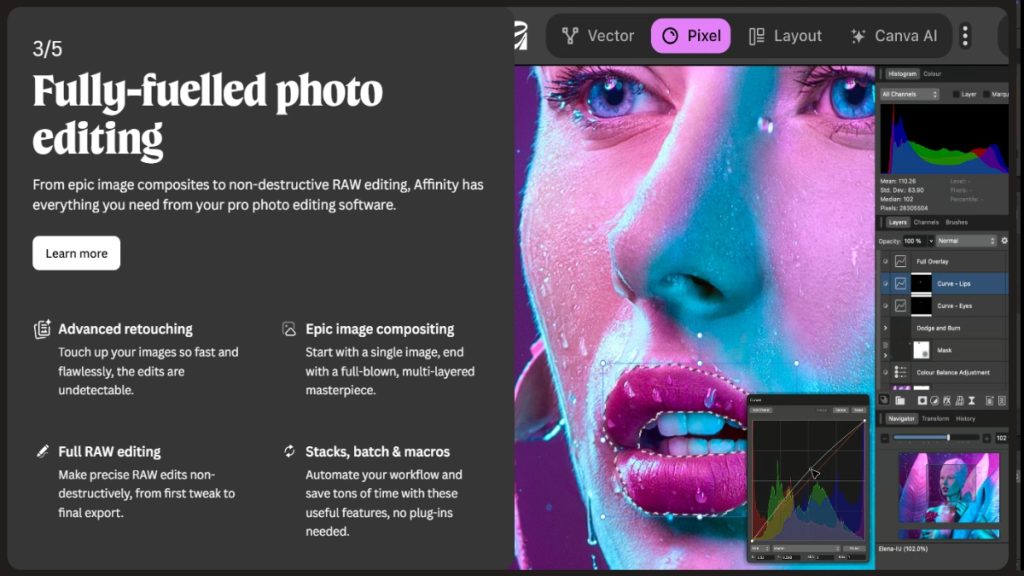
- One app that does everything: If you create in-world posters, texture sheets, HUD graphics and machinima textures, having raster + vector + layout in one app speeds workflow — you can edit a screenshot, add vector UI elements and lay out a poster without switching programs. That’s especially handy when you batch-export images for marketplace listings or event flyers. (Creative Bloq)
- Licensing & cost implications: Historically Affinity Photo 2’s appeal was one-time licensing (around $69.99 for Photo v2, with the suite available for a combined one-time fee), which made it affordable for hobbyists and small creators. Adobe Photoshop, by contrast, is sold primarily as a subscription and becomes much more expensive over time for active creators. With the relaunch, many builds of the new Affinity are being made free (or temporarily free on some platforms), but some premium AI features or deeper Canva integrations may be gated behind Canva Premium tiers. That means immediate cost savings are possible for SL users — but watch for potential future changes to paid tiers or feature gating. (XDA Developers)
- Feature parity with Photoshop: Affinity’s editing tools remain powerful — layer system, raw processing, non-destructive filters, advanced selection tools and pixel-level retouching — and the combined app now brings Designer/Publisher capabilities too. Photoshop still leads in certain advanced features and deep AI/ML-driven toolsets (content-aware, neural filters, extensive plugin ecosystem), plus industry standards for interchange in some studios. For solo SL creators working on promo shots, textures, and HUD art, the new Affinity can be an equal or better value depending on whether the eventual product roadmap keeps pro features free. (Skylum)
Practical questions SL creators are asking:
Q — “Will my old Affinity Photo 2 files keep working?”
A — Existing files created with Affinity Photo/Designer/Publisher should open in the new app thanks to a unified file approach, but you should export important projects to universal formats (PSD, TIFF, PNG) and keep backups of your current installs and license keys until you’re certain the new app does everything you depend on. Several community reports warned users to secure existing versions before the changeover. (CG Channel)
Q — “Should I switch away from Photoshop?”
A — If you’re an individual SL creator on a budget and most of your work is image editing, layout and vector art, the new Affinity looks like a compelling alternative — especially if core features remain free. If your studio workflow relies on advanced Photoshop-only features, automation scripts, third-party plugins, or collaborative Adobe cloud workflows, keep Photoshop for those needs. Consider a hybrid approach: use Affinity for most daily tasks and reserve Photoshop for specific, specialized jobs.

Tips & a short checklist for Second Life creators:
• Backup: Export critical projects to PSD and TIFF, and keep the installers/licenses of Affinity Photo 2 safe until you’re fully comfortable with the new app. (CG Channel)
• Test a non-critical workflow: Convert a typical SL workflow (in-world screenshot → crop/color correct → texture resize → 2D HUD export) in the new Affinity and compare time and results to your current process.
• Watch AI features: Canva integration and AI tools may speed background removal or inpainting for avatar shots — but beware of automated edits that change fine details (like body/skin tones or intricate mesh textures). For texture work, manual control is often safer. (The Verge)
• Keep an eye on feature gating: Free apps can still hide pro tools behind paid tiers (or require Canva Premium). Track announcements and community forums for exact details on what stays free. (PetaPixel)
Bottom line for Second Life users:
This relaunch is potentially excellent news for independent content creators: powerful raster, vector and layout tools under one roof — possibly free — lowers the barrier for quality SL assets, flyers, and screenshots. But the transition carries uncertainty: confirm that the features you rely on remain available, back up your work, and be ready to adapt if certain advanced tools are placed behind new premium gates. For most hobbyists, DJs, event promoters and small sellers in Second Life, the new Affinity could become the go-to graphics suite — and that’s a big deal for the SL creative community.

Further reading & where we got this information:
• The Verge — coverage of the unified Affinity app and Canva integration. (The Verge)
• CreativeBloq — roundup of the all-in-one release and feature packing. (Creative Bloq)
• AppleInsider — notes on the free Mac/iPad availability and context. (AppleInsider)
• PetaPixel / CGChannel — timeline context for Affinity taking older apps off sale ahead of the relaunch. (PetaPixel)
• XDA / Skylum roundups — historical price comparisons between Affinity Photo (one-time) and Photoshop (subscription). (XDA Developers)